


Insert yourself into any video
Replace the on-screen character with your own photo to join popular trends, comic clips, or social formats. Great for memes, creator content, and fast personal remixes.


Same script. Same audio. New face. Replace any instructor, spokesperson, or avatar using AI. Full Body, Face and Style. The content stays. Only the character changes.
Input your original video on our platform
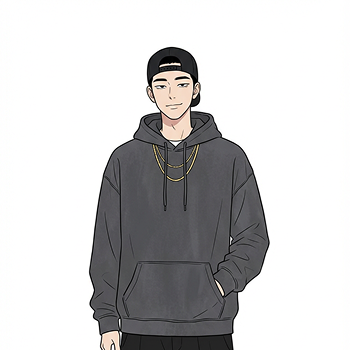
Upload image of character you want to replace in the video
Verify before you download
Replace the on-screen character with your own photo to join popular trends, comic clips, or social formats. Great for memes, creator content, and fast personal remixes.
Swap presenters in training, explainer, or educational videos to refresh content for new audiences, regions, or languages. Localize lessons without reshooting the original video from scratch.
Swap the character in reels, ads, or short videos to create fresh versions from the same footage. Useful for experimentation, localization, and creator-style variations.
Produce multiple versions of one ad, each with a different character for audiences, creators, or markets. This helps teams adapt a single asset into many targeted campaign edits.
Explore more features from ButterCut and understand how we can help your content scale faster
Contact UsSimply upload the original video and an image of the new character. Our AI will automatically swap them while preserving the original movements and audio.
Upload your existing course video and a photo of the new instructor. The AI will seamlessly replace the old instructor with the new one.
Yes, the AI matches the new character's face to the original audio, preserving lip sync.
Currently, videos are processed individually to ensure the best possible quality and accuracy.
Our tool is designed for creative and professional use cases like localization and content refreshing, with built-in safeguards.
It works best on talking-head videos, presentations, and single-subject shots.
Processing time depends on the video length, but it is typically completed in minutes.